What to do when your grill displays Failed to Ignite, Error: 0007, or ER07.
The Failed to Ignite error means your grill entered ignition mode but didn't establish a flame in the firepot. The grill monitors for a temperature rise during startup — if it doesn't detect one within a set window of time, it triggers this error and begins a shutdown cycle. In most cases the cause is simple: low or poor-quality pellets, a dirty firepot, or starting the grill with the lid open. In others, it points to a problem with the hot rod (ignitor) or its wiring connection.
How this error appears on your grill
This error may look different depending on which grill you have:
- Failed to Ignite — D2 WiFIRE grills
- Error: 0007 Grill Failed to Ignite — Touchscreen WiFIRE grills (Timberline, Ironwood)
- ER 07 — Woodridge Series
- Er07 — and Westwood series
Why this happens
This error is most often caused by one of the following:
- Pellet issues — the grill ran out of pellets, the firepot is empty or overfilled, there's an ash puck blocking the firepot, or the pellets are poor quality or full of sawdust
- Lid left open at startup — the grill requires the lid to stay closed during preheat to retain heat and ignite successfully
- Hot rod / ignitor problem — the hot rod is disconnected, not making contact with the pellets, or needs to be replaced
- Tripped outlet or loss of power — a tripped GFCI outlet or breaker can interrupt ignition
Did you know? An ignitor failure can trip a GFCI outlet or breaker — and when it does, the cause is often ash buildup in the firepot physically touching the ignitor. To prevent this from happening again:
- Clean the ash from the firepot regularly.
- Monitor ash levels between cooks and clean when ash is high enough to contact the ignitor.
- If your GFCI is tripping, contact Traeger Support before proceeding.
- If your GFCI or breaker is working normally, continue to the steps below.
Fix this error
Safety first: The hot rod (ignitor) retains heat after a shutdown cycle. Make sure your grill has fully cooled before handling the ignitor or any internal components.
Select your grill type below to get started. Not sure which grill you have? Look for the controller image that matches yours.
D2 WiFIRE Grill: Failed to Ignite
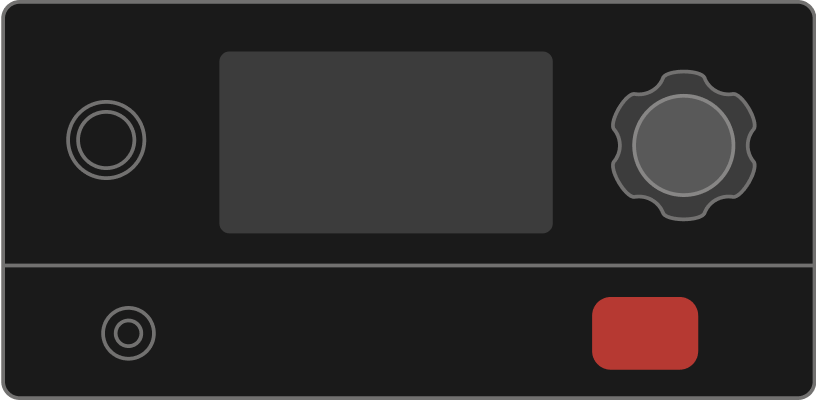
Applies to: Century 885 · Ironwood 650 · Ironwood 885 · Pro 575 · Pro 780 · Redland · Redland XL · Ridgeline XL · Silverton 620 · Silverton 810 · Silverton XL · Timberline 850 · Timberline 1300
- Turn off and unplug your grill.
- Startup procedure: Your grill's lid needs to remain closed during preheat to ignite successfully.
-
Check your grill's cleanliness.
- How is the state of the grill? Particularly, is there ash or sawdust accumulated in the firepot or barrel that would prevent the grill from igniting?
- Is a drip tray liner or foil extending beyond the drip tray that could prevent air flow?
-
Check the pellets in your hopper and firepot.
- Good pellets should shine and snap when broken. Take a sample from your firepot or from the bottom of your hopper to get a better idea of the pellets your grill is trying to ignite currently.
- Sawdust doesn't ignite, so excessive sawdust in the bottom of the hopper will make its way through the auger and into the firepot, resulting in difficulty or an inability to ignite successfully.
- If the grill's firepot or hopper is empty or running low on pellets, fill the hopper with pellets and place a few in the firepot.
- Check if your hot rod heats up:
- Remove your grill grates, drip tray and heat baffle.
- Make sure the tip of your hot rod is clean and exposed between 1/8"-1/4"(4-6 mm).
- Ignite your grill and hover your hand above the firepot. You should feel heat radiating.
If you feel heat, your hot rod is working. The error should disappear.
If you do not feel heat, turn off and unplug your grill and continue.
- Check your component connections to your controller.
- Unscrew the 4 screws on each corner of your controller and carefully pull the controller away from your grill to expose the component wiring connections on the back.
- Disconnect and reconnect each of the component connections on the back of the controller, making sure the connections are secure and not loose.
- Plug in and turn on your grill. Repeat Step 5 to see if your hot rod heats up.
Error disappeared: Error resolved!
Error continues: Replace the hot rod.
- Reattach the controller to the hopper.
Touchscreen WiFIRE Grill: Error 0007
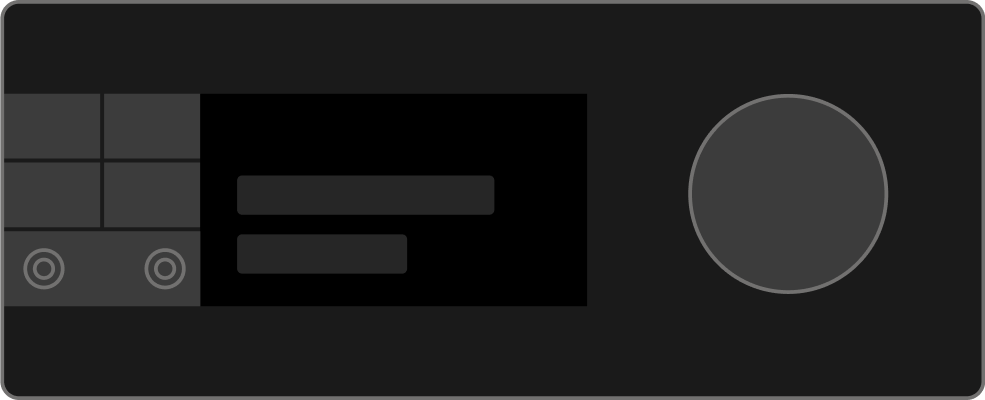
Applies to: Timberline · Timberline XL · Ironwood · Ironwood XL
- Check your grill's firmware to make sure it's on the latest version.
- Confirm that there are pellets in the hopper.
- If there are no pellets, refill the hopper and prime the auger.
- Rerun the grill to see if the problem continues.
- If there are pellets, continue to the next step.
- If there are no pellets, refill the hopper and prime the auger.
- Open the grill and clean out the firepot.
- Rerun the grill to see if the problem continues.
- Proceed to the next step if the error appears again.
- Run a SELF-TEST and verify that there are no issues with the ignitor.
- On the controller display, go to MENU > MAINTENANCE & CARE > SELF-TEST. The test should take about 10 seconds to complete.
- If ignitor errors occur, open the hopper service panel and manually ensure that all cables are correctly connected then rerun the SELF-TEST.
- To continue you'll need to remove your hopper service panel. To remove this panel for the first time, you may need to use an impact driver to remove the screws behind the P.A.L rail on your hopper service panel.
- If there are ignitor errors, continue to the next step.
- Open the grill and ensure that the ignitor makes contact with pellets in the fire pot. The ignitor should protrude approximately half an inch into the firepot.
- If issues continue, contact Customer Support.
Woodridge WiFIRE Grill: ER07
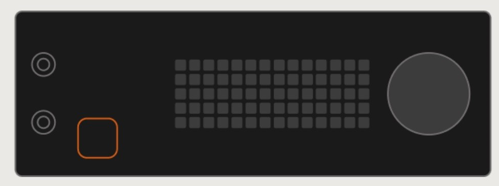
Applies to: Woodridge · Woodridge Pro · Woodridge Pro Plus · Woodridge Elite
-
Prepare the grill.
Confirm there are pellets in the hopper — add more if needed.
Open the grill and remove the grates, drip tray, and heat baffle. -
Inspect the firepot:
Check for blockage and excessive debris that can prevent the grill from maintaining a flame.
Check the firepot for ash pucks, excessive pellets, sawdust, or debris. All of these can block the holes in the firepot that provide oxygen to the fire.
- Clean out the firepot. This is most easily done with a shop vac.
-
Set a temperature and ignite the grill:
-
Check to ensure there are pellets feeding into the firepot.
If the pellets are not feeding into the firepot, run the auger priming cycle.
Allow enough time for pellets to go from the hopper to the firepot.
-
-
Check the following components:
- Auger:
- Check to see if the auger is spinning (on and off, not continuously).
- Fan
- Hover hand over the firepot and see if there is heat.
- Listen for the fan running.
- Check for a light breeze from the fan.
- Ignitor
- Check to see if the pellets are smoking.
- Auger:
-
If all components listed in step 3 are working correctly, stop here. You have resolved the issue.
If any or all of the components listed in step 3 are not working correctly, contact customer service for additional help.
Westwood Series Grills: Er07
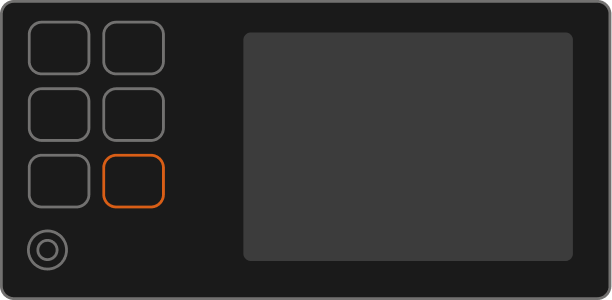
Applies to: Westwood · Westwood XL
If the error occurred during the seasoning process:
Prime the auger before attempting to ignite again.
If auger priming takes longer than 2 minutes, contact Traeger Support.
If the error occurs during subsequent ignitions:
-
Prepare the grill.
- Confirm there are pellets in the hopper — add more if needed.
- Open grill and remove the grates, drip tray, and heat baffle.
-
Check the firepot. Make sure there are only a few pellets in the firepot.
- Clear the firepot of any debris or sawdust that may block the firepot holes and prevent oxygen from reaching the fire.
If the firepot is empty, pellets are not feeding into the firepot, fill the auger with pellets.
Reinstall the heat baffle, drip tray, and grates and ignite the grill.
If the grill ignites: Congratulations — You've successfully resolved the issue!
If you get error Er07 again: Continue troubleshooting to check the grill's components:
- Open the lid and remove the grates, drip tray, and heat baffle.
-
Ignite the grill the grill again. Keep the lid open so you can check the grill's auger, induction fan, and ignitor are working as expected.
- Auger: Look at the end of the auger tube. You should see the auger turn intermittently (not constantly), and pellets should be dropping into the firepot.
- Induction Fan: Hover your hand over the firepot. You should feel airflow coming from the firepot and you should hear the fan running. The fan will also turn on intermittently.
- Ignitor: Hover your hand over the firepot. You should feel heat coming from the ignitor.
- Shut down the grill. Once the shutdown cycle finishes, power off and unplug the grill.
- Remove the hopper service panel on the right side of the hopper.
- On the back of the controller, disconnect and reconnect the connection point of the part that wasn't working as expected.
- With the hopper access panel removed, plug in the grill, power it on, and ignite again.
- Fans aren't spinning: The induction and auger motor fans should both spin, turning on and off intermittently. If they don't spin at all, lightly tap the fan blade with your fingers to see if it starts spinning.
- Fans spin slowly: The induction and auger motor fans should both spin quickly. If they spin slowly as seen , contact Traeger Support.
- If the affected component still doesn't function as expected, contact Traeger Support.